Threejs添加坐标轴辅助器
1. 坐标轴辅助器
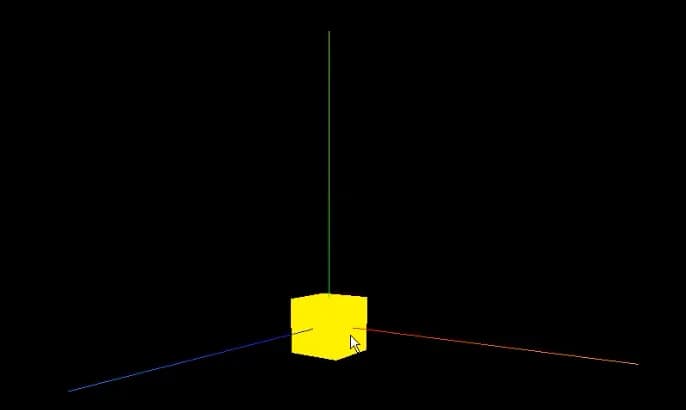
一般我们在开发阶段,添加物体和设置物体位置,都需要参考一下坐标轴,方便查看是否放置到对应位置。所以一般添加坐标轴辅助器来作为参考,辅助器简单模拟3个坐标轴的对象。红色代表 X 轴. 绿色代表 Y 轴. 蓝色代表 Z 轴。
const axesHelper = new THREE.AxesHelper(5);
scene.add(axesHelper);
2 ArrowHelper箭头辅助器
用于模拟方向的3维箭头对象

const dir = new THREE.Vector3(1, 2, 0);

//normalize the direction vector (convert to vector of length 1)
dir.normalize();

const origin = new THREE.Vector3(0, 0, 0);
const length = 1;
const hex = 0xffff00;

const arrowHelper = new THREE.ArrowHelper(dir, origin, length, hex);
scene.add(arrowHelper);
3 构造函数
ArrowHelper(dir : Vector3, origin : Vector3, length : Number, hex : Number, headLength : Number, headWidth : Number )
dir — 基于箭头原点的方向. 必须为单位向量. origin — 箭头的原点. length — 箭头的长度. 默认为 1. hex — 定义的16进制颜色值. 默认为 0xffff00. headLength — 箭头头部(锥体)的长度. 默认为箭头长度的0.2倍(0.2 _ length). headWidth — The width of the head of the arrow. Default is 0.2 _ headLength.